

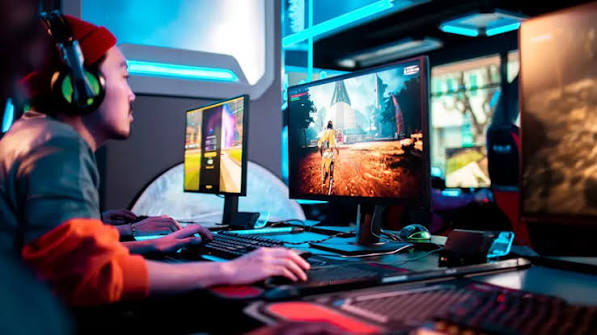
In my house, the slot online setup has moved between the living room and my bedroom desk more times than I can count. In the living room, the big TV made adventure games feel cinematic, and friends could gather on the sofa. At my desk, a smaller monitor felt sharper, quicker and better for competitive matches. Both setups had real strengths, and both had annoying weaknesses. The question of gaming on a TV vs monitor comes up constantly, especially for console players. The right answer depends on your room, your games and how you like to play. Here’s what I’ve learned from switching back and forth.
Different Displays for Different Rooms
TVs and monitors are designed for different situations.
- TVs are built for viewing from a distance, usually from a sofa. They’re large and focused on films and shows, with features like advanced HDR and smart apps.
- Monitors are built for close viewing at a desk. They’re smaller, often faster and focused on responsiveness and clarity up close.
When weighing gaming on a TV vs monitor, your space often makes the decision for you. A small bedroom with a desk suits a monitor. A living room with seating across the room suits a TV.
Think about who else uses the screen too. A shared family TV may not always be free when you want to play, while a monitor is usually yours alone.
Response Time and Lag
For fast games, responsiveness matters. Historically, monitors had a clear advantage here, but the gap has narrowed.
- Input lag: monitors generally offer low delay. Many modern TVs also perform well in game mode, though older or budget models can feel sluggish.
- Response time: monitors often switch pixels faster, reducing motion blur in fast scenes.
- Refresh rate: high-refresh monitors are common and affordable. High-refresh TVs exist but are usually pricier.
- Variable refresh rate: many monitors and newer TVs support it, reducing stutter and tearing.
Honestly, competitive matches felt noticeably better on my monitor. My reactions seemed sharper, partly from lower delay and partly from having the whole screen in my field of view without moving my eyes.
If you choose a TV, always enable game mode. It disables heavy processing and can dramatically reduce delay.
Size and Viewing Distance
Bigger isn’t always better for gaming.
- Close to a large TV, you may need to move your eyes or head to see corners of the screen, where important information like mini-maps often sits.
- Far from a small monitor, details become hard to see.
- Competitive players often prefer smaller screens so everything stays within view.
- Story and exploration players often enjoy large screens for immersion.
Match screen size to how far you sit. A large TV at desk distance can be uncomfortable for long sessions, and a small monitor across a room loses impact.
Features Worth Checking
Whichever you choose, look for features that matter for gaming:
- Game mode or low-latency mode, especially on TVs.
- Refresh rate that matches your console or PC capabilities.
- Variable refresh rate support for smoother gameplay.
- HDMI ports that support the features your console uses.
- HDR quality, which is often stronger on good TVs than on budget monitors.
- Panel type, since different technologies vary in contrast, colours and motion handling.
- Burn-in risk on certain panel types if you play games with static interface elements for many hours.
Reviews that test gaming performance specifically are your best guide. Check measured input delay and motion handling rather than relying on marketing terms.
Which One Fits You
To settle gaming on a TV vs monitor for your own situation, consider these profiles:
Choose a TV if you
- Play mostly on console from a sofa.
- Enjoy cinematic, story-driven or co-op games with others in the room.
- Want a screen that doubles for films and shows.
Choose a monitor if you
- Play at a desk, especially on PC.
- Focus on competitive or fast-paced games.
- Want high refresh rates on a moderate budget.
- Need your own screen that isn’t shared.
Some players use both, with a monitor for competitive play and a TV for relaxed sessions. If budget allows, that combination covers almost everything.
FAQ
Is a TV or monitor better for gaming?
Monitors usually suit competitive desk gaming, while TVs suit relaxed sofa gaming and cinematic experiences.
Do TVs have more input lag than monitors?
Often slightly, but many modern TVs have low delay in DRAGON222 mode. Always check gaming-focused reviews.
What size should a gaming monitor be?
Around 24 to 27 inches suits most desks, depending on resolution and how close you sit.
Your display shapes every moment you play, so it’s worth choosing carefully. Think about your room, your favourite games and the people you play with, then pick the screen that fits that picture. Whether you settle on a TV or a monitor, turning on the right settings makes all the difference.
